
THE WEB PORTAL
Student
Find your homework, weekly goals and Arabic words in one place.
Screens show fictional demo data. Portal labels may be in English; available actions depend on your account.
01
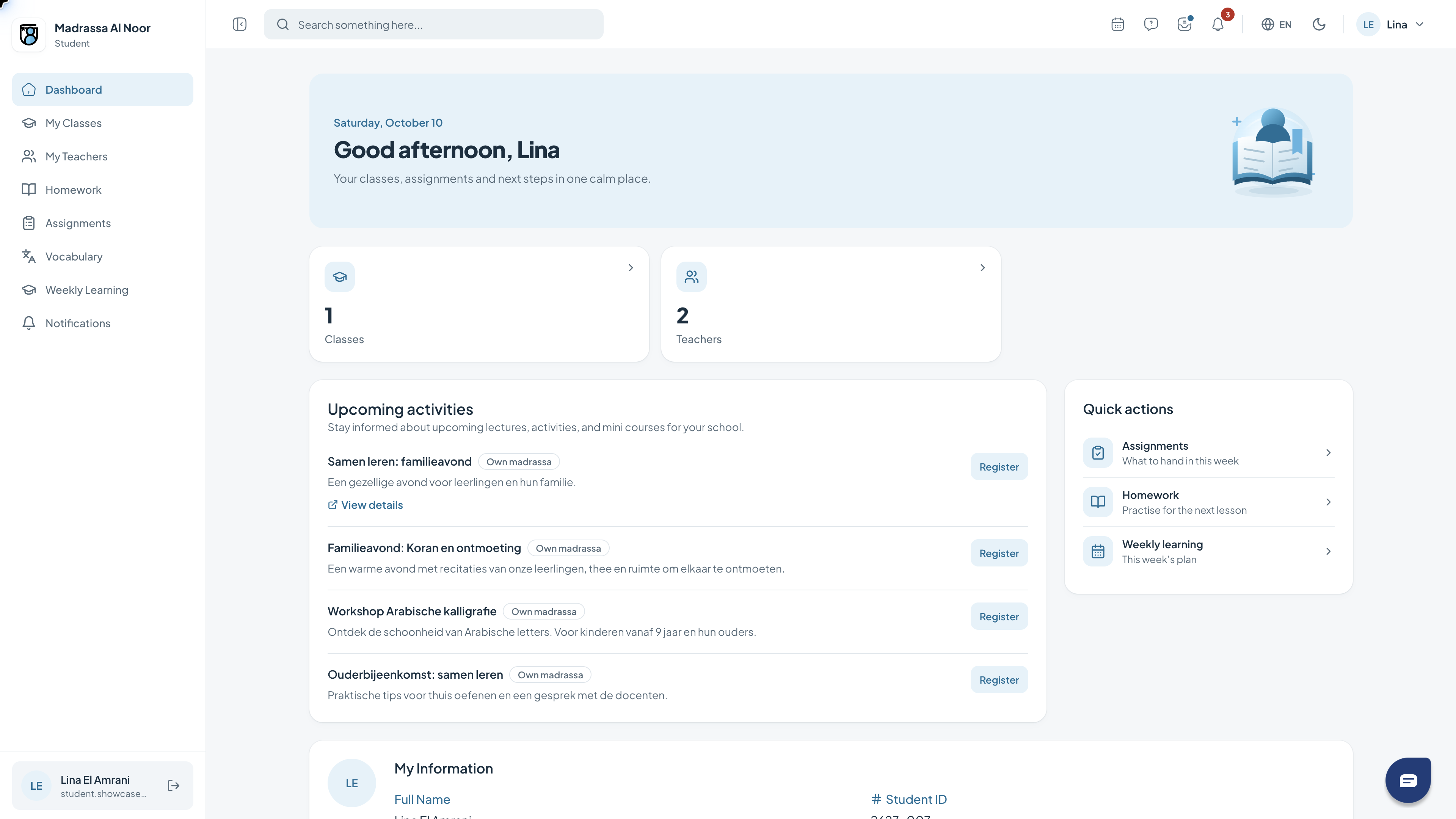
Your dashboard
The dashboard is your starting point. It brings together a greeting, key figures, activities and shortcuts relevant to your role.
- Review the key figures at the top.
- Use the quick actions to open a feature.
- Read the activities and check which are relevant to you.
02
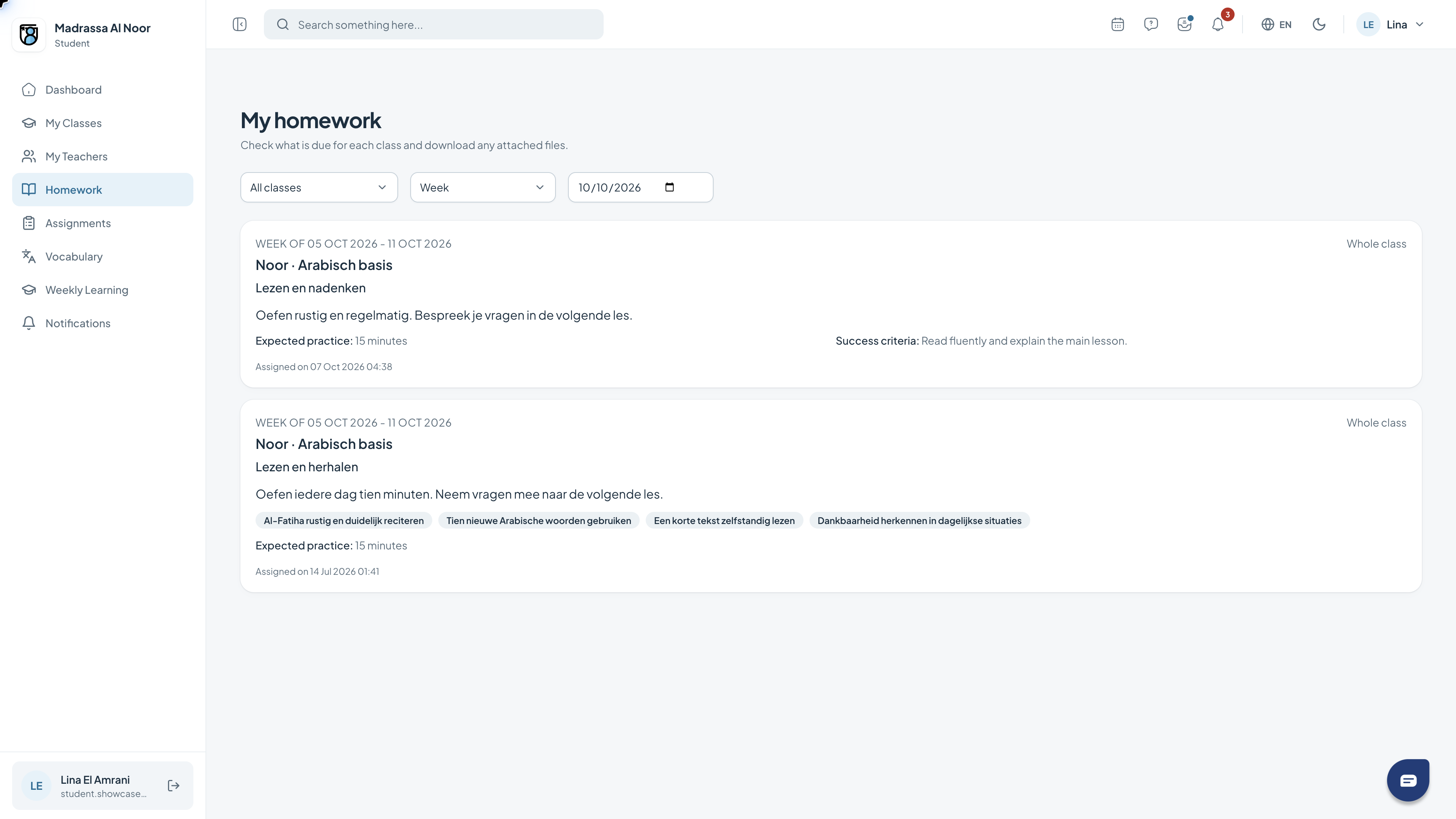
Viewing homework
The homework page shows the work for your class. Choose a period and date to see what you need to practise.
- Open Homework.
- Choose the class and period.
- Read the task, practice time and any success criteria.
03
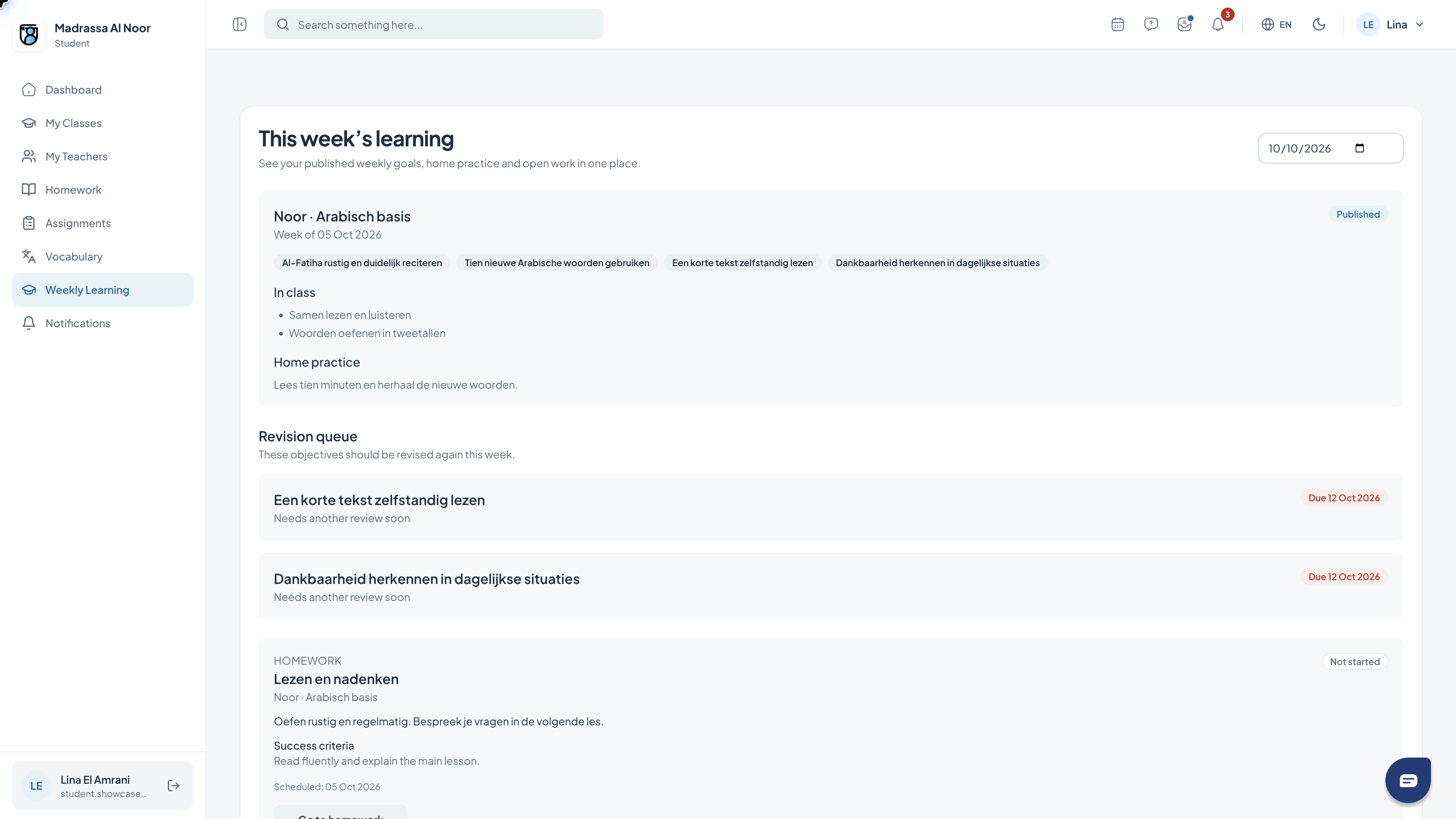
Your weekly goals
The weekly plan brings together learning goals, class work and home practice. The revision queue shows what needs another review.
- Open Weekly Learning.
- Check the reference date and week.
- Read the goals, practice activities and revision items.
04
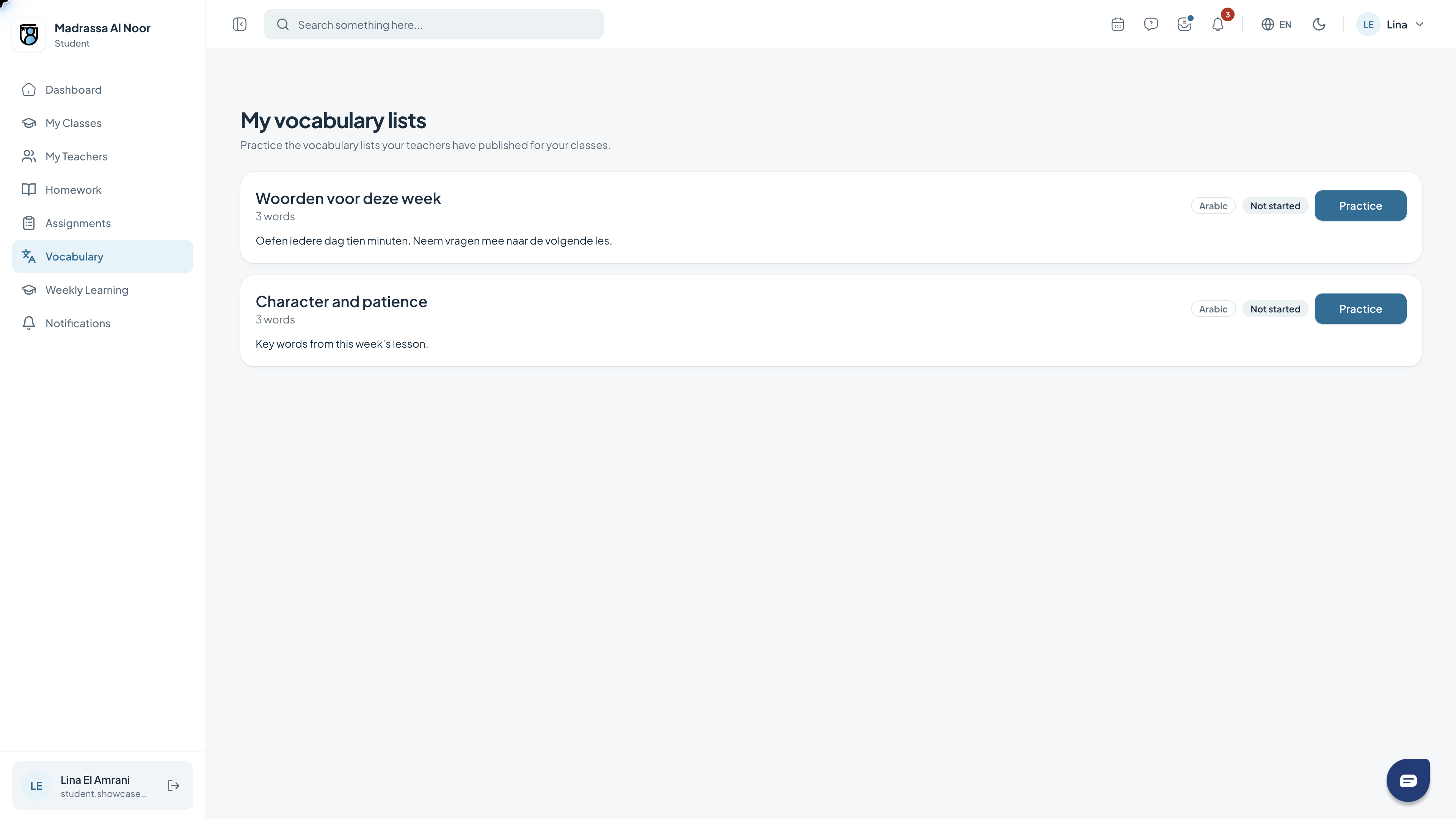
Practising Arabic vocabulary
Vocabulary lists are grouped by topic. Open a list to view the words for that topic.
- Open Vocabulary.
- Choose the topic you want to practise.
- Open the vocabulary list using its topic button.
Need a hand?
If a feature is missing, check your role with the school administrator. For help with access or using the portal, contact support.
Get support