
THE WEB PORTAL
Parent
Follow your children and see what to practise together at home.
Screens show fictional demo data. Portal labels may be in English; available actions depend on your account.
01
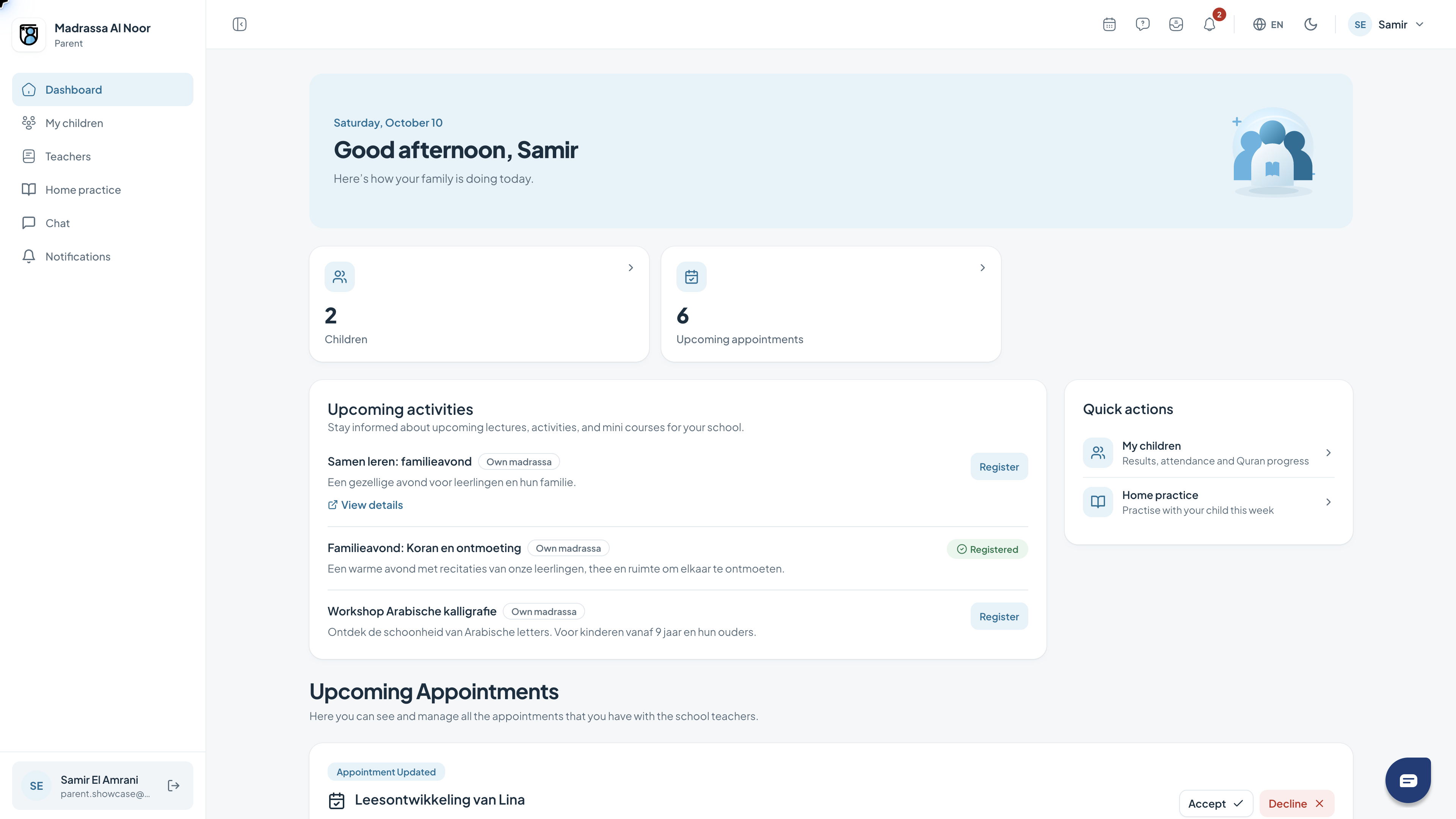
Your dashboard
The dashboard is your starting point. It brings together a greeting, key figures, activities and shortcuts relevant to your role.
- Review the key figures at the top.
- Use the quick actions to open a feature.
- Read the activities and check which are relevant to you.
02
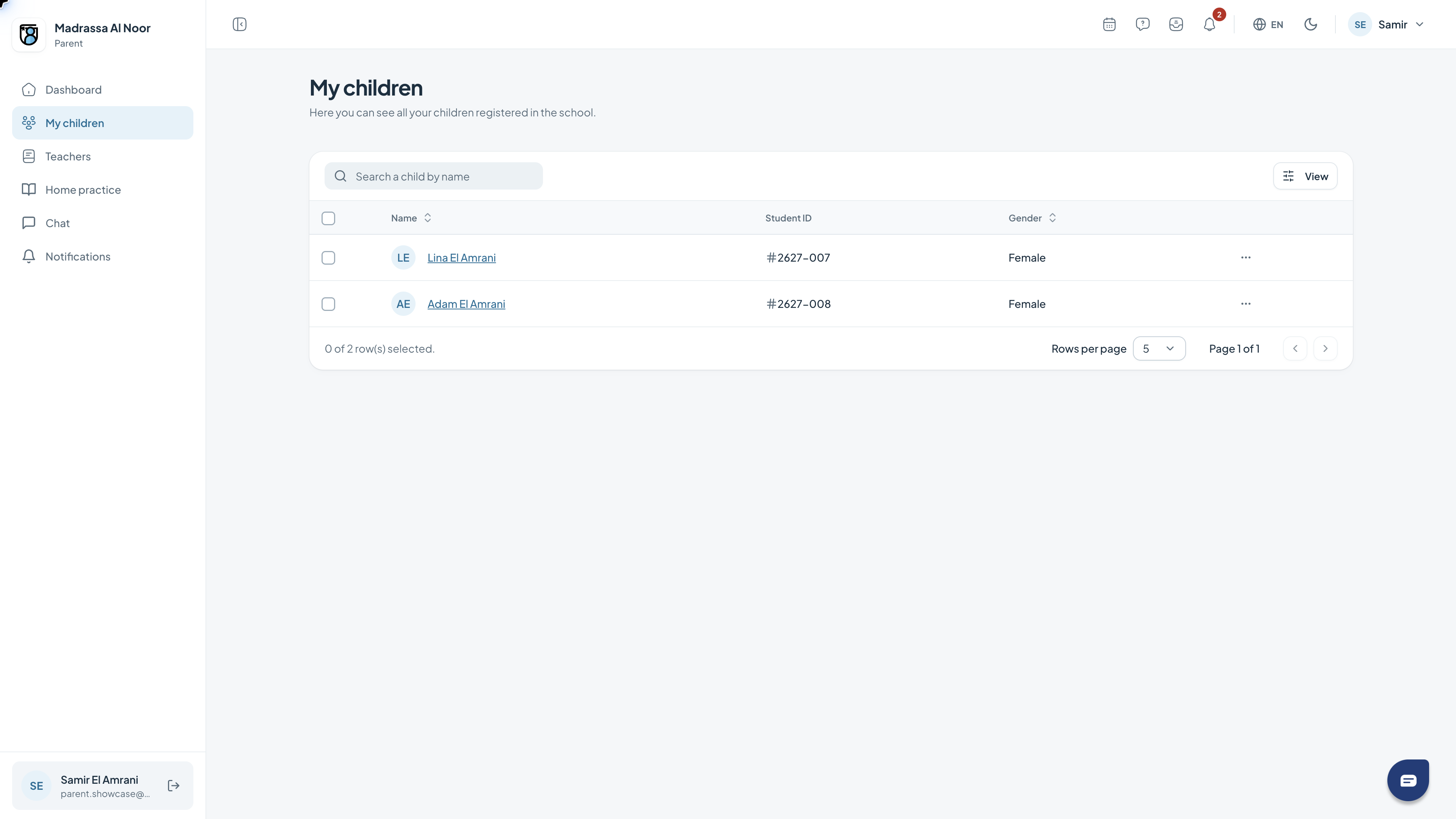
Viewing your children
Your children appear together in an overview. Open a child’s name to view their available school information.
- Open My children.
- Find the child in the list.
- Select their name to explore further.
03
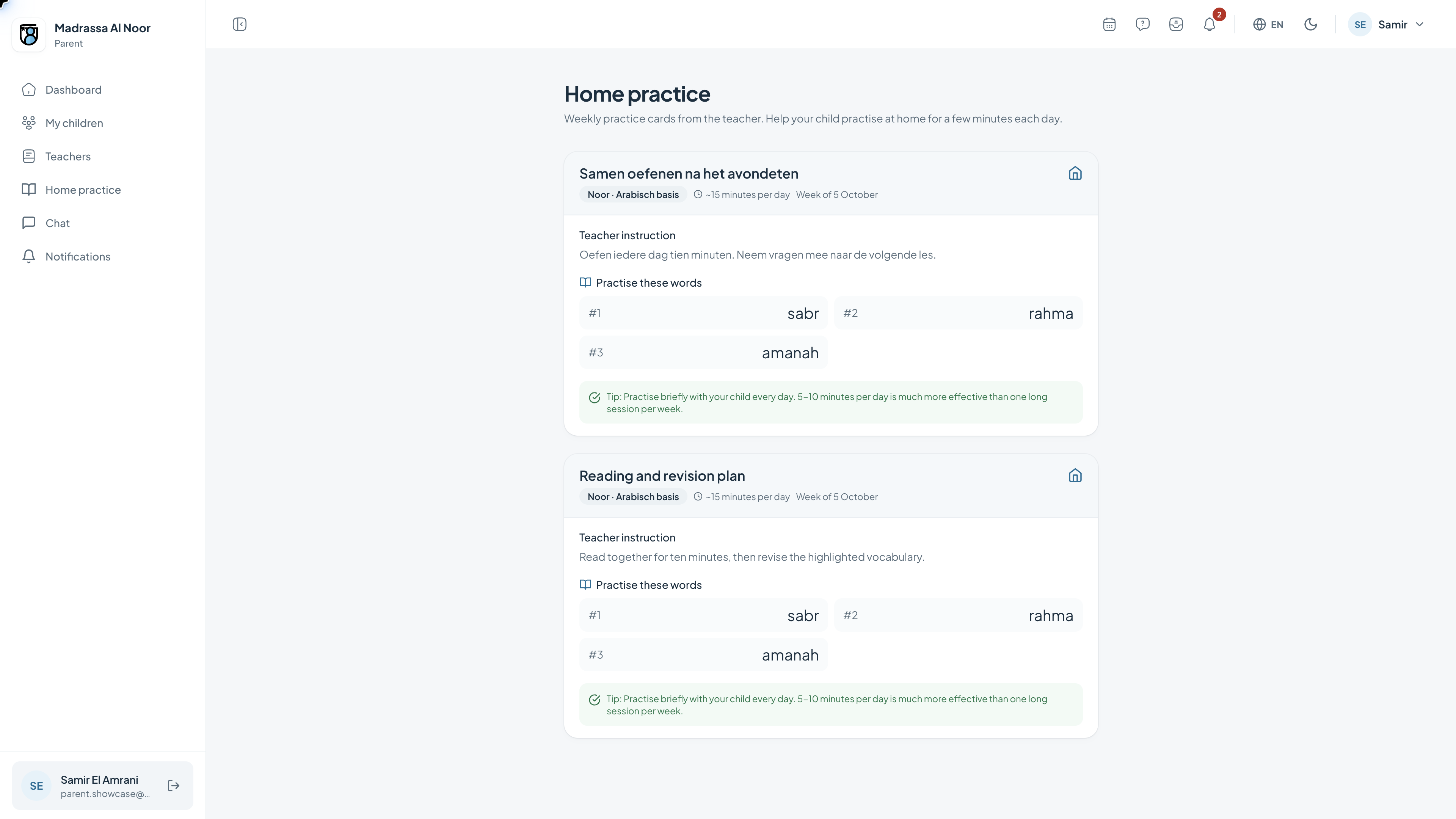
Home practice together
Home practice shows what is ready for your child. It helps you connect practice at home with learning in class.
- Open Home practice.
- Review your child’s goals and practice work.
- Read the instructions before starting together.
Need a hand?
If a feature is missing, check your role with the school administrator. For help with access or using the portal, contact support.
Get support