
THE WEB PORTAL
Administrator
Manage students, staff and the organisation’s overview.
Screens show fictional demo data. Portal labels may be in English; available actions depend on your account.
01
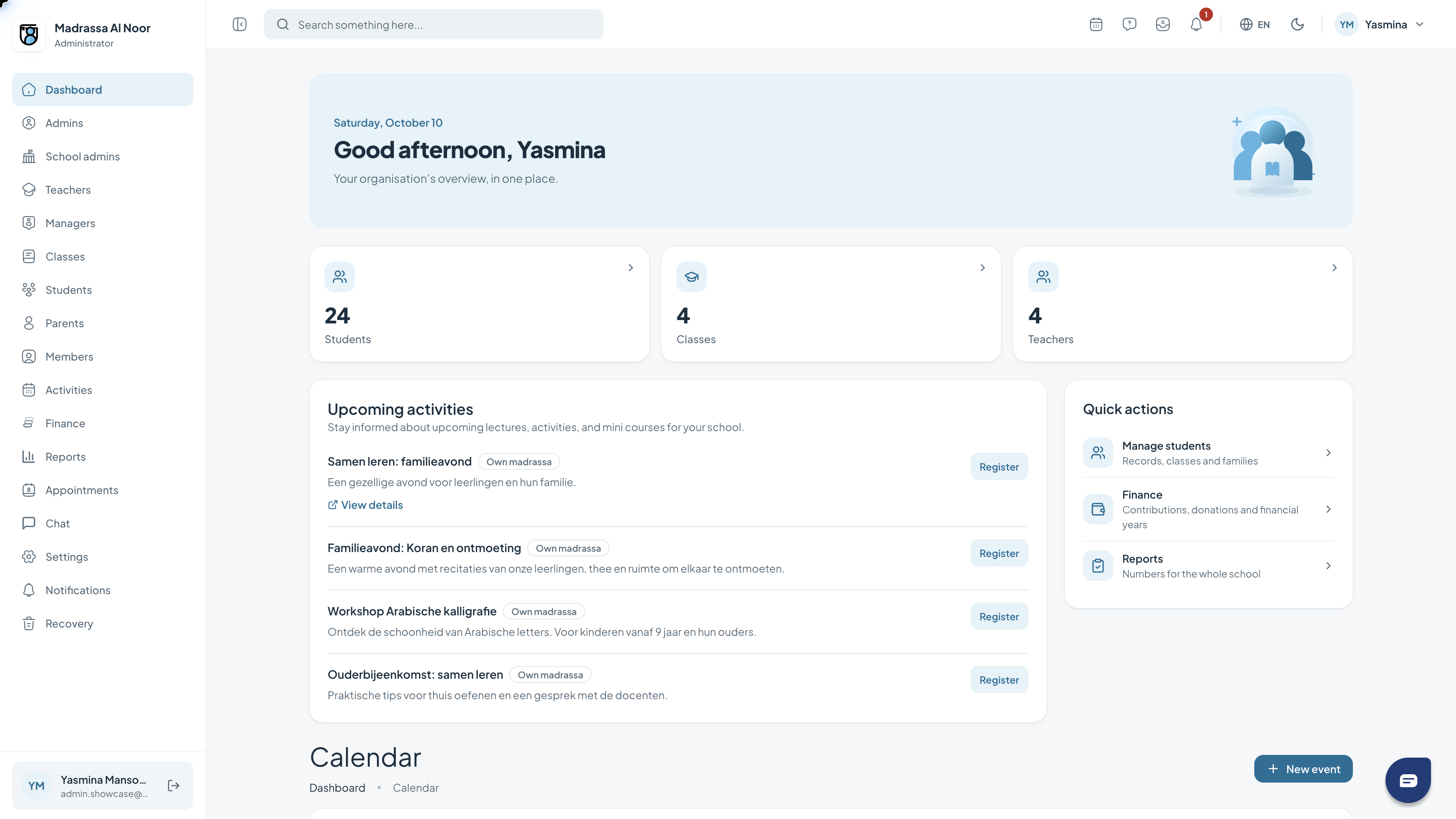
Your dashboard
The dashboard is your starting point. It brings together a greeting, key figures, activities and shortcuts relevant to your role.
- Review the key figures at the top.
- Use the quick actions to open a feature.
- Read the activities and check which are relevant to you.
02
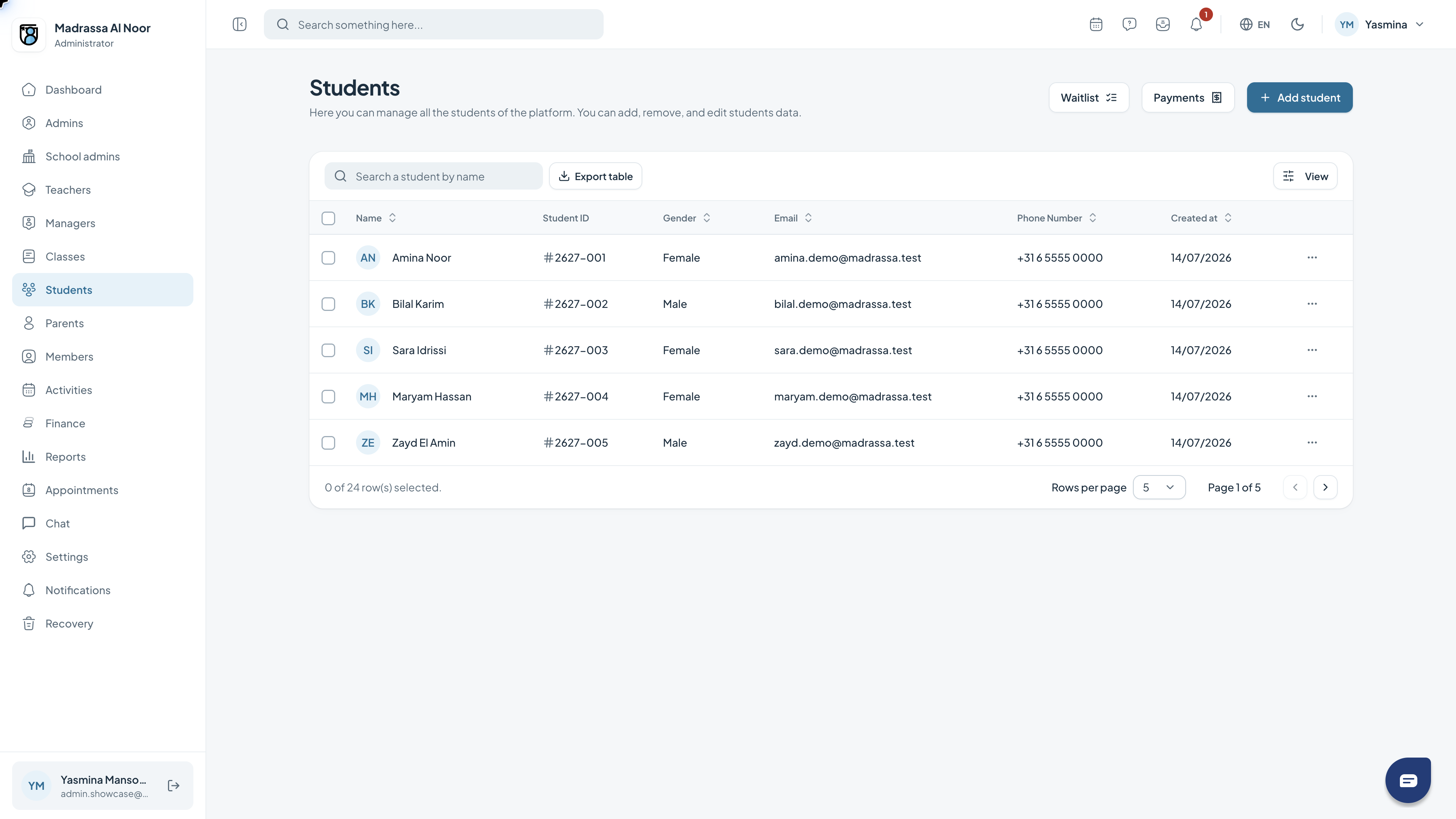
Student management
The student list shows details such as name, email address and status. Use search and filters to find the student you need.
- Search by name or choose a filter.
- Open a student by selecting their name in the list.
- Use pagination to browse more results.
03
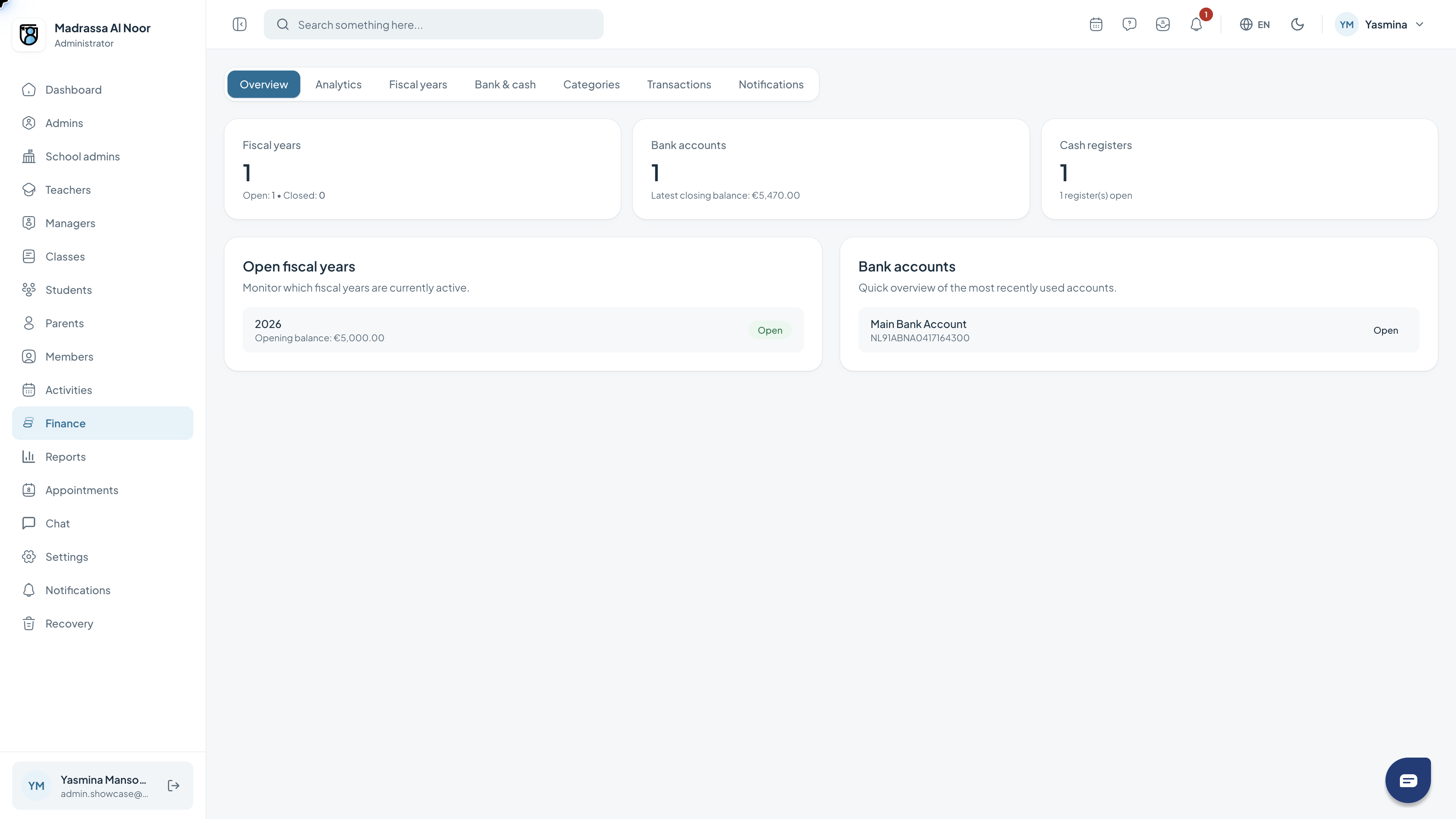
The finance overview
The overview brings together accounts and financial years. Its tabs provide access to transactions, categories and analytics.
- Review the account summary.
- Choose the tab for the feature you need.
- Check the period before comparing figures.
04
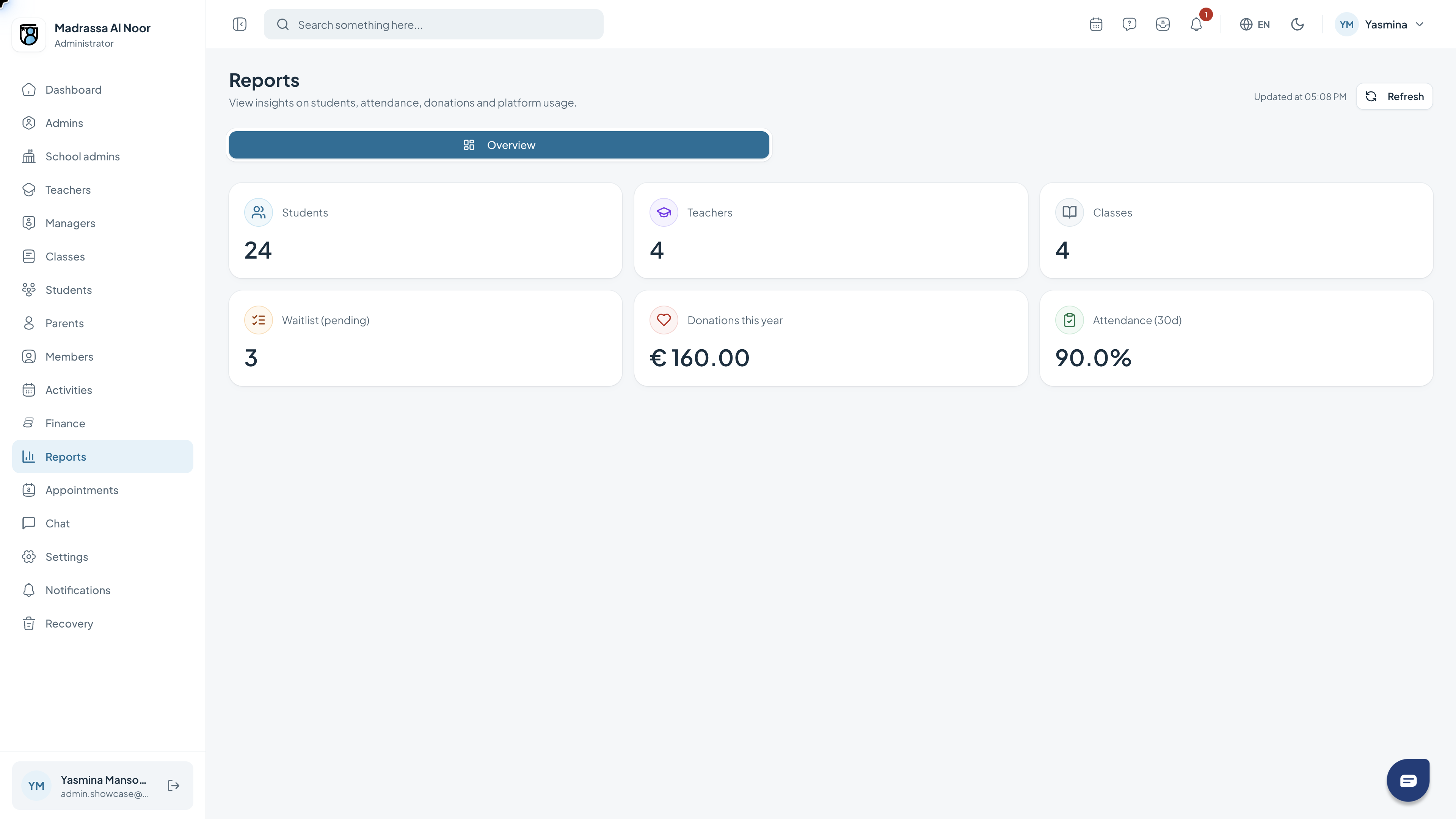
Reading reports
The reports overview shows key school figures, including students, classes and teachers. Additional figures provide insight into contributions and attendance.
- Open Reports from the navigation.
- Read the summary figures.
- Check the selected period when discussing results.
Need a hand?
If a feature is missing, check your role with the school administrator. For help with access or using the portal, contact support.
Get support